


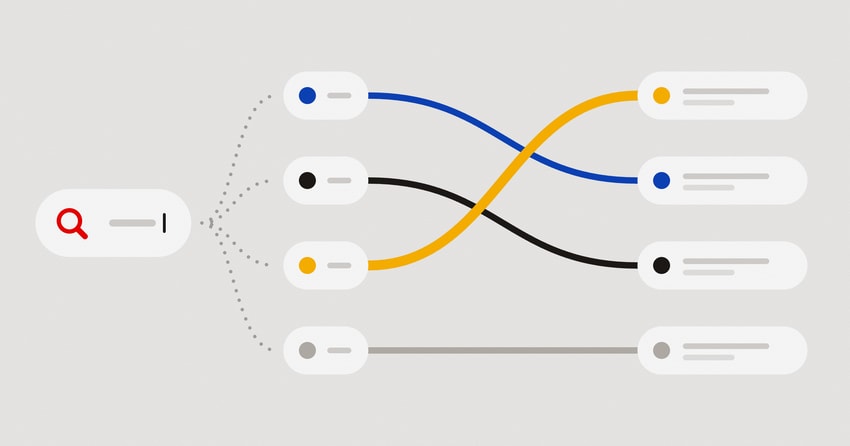
Every organisation has its data spread over multiple systems, sometimes even in vast data lakes. For example, support agents log tickets, sales teams update the CRM, engineers file bugs in the bug tracker, and most of the conversational context ends up in Slack threads and emails. Each tool is good at its own job, so over time what the organisation knows, and more importantly what it needs to make business-critical decisions, is spread across all of them.
Let's visualise the need for a central organisational knowledge search using a few synthetic examples. Say a product manager at a bike company wants to know why customers are asking for refunds. The answer is already somewhere in the data. For example, a support ticket might have details about a brake cable that snapped, an email could mention a battery that dies after 10 km, and a Slack message might include conversational details about three customers wanting their money back over faulty brakes. But this data is spread across three tools, written by three different people, and not in the same words.
The obvious first step is to search for "refund". The search will most probably return the refund policy, the refund how-to and the email, all of which include the word "refund". It will most certainly miss the ticket and the Slack message, which describe the problem in different words. The manager gets an answer that looks complete but isn't.
The problem isn't that the data is missing or incomplete. The problem is that search looks for word matches, and people often describe the same thing using different words. For an organisation to make business-critical decisions based on data it already has, search has to work across every source and understand what a query means instead of just looking for word matches.
Where the data lives
- Slack
- Support desk
- Wiki
- CRM
- Survey
- Bug tracker
- Meeting notes
Search
Why are customers asking for refunds?
- EmailBattery dies after 10 km
- SlackMoney back over faulty brakes
- Support deskBrake cable snapped on the second ride
Data is connected from many sources. Indexing runs when there's new data. Retrieval runs when a user searches.
This post walks through three types of retrieval using the same dataset of ten notes, shows where each approach fails and builds up to what a good retrieval strategy looks like:
- Text search, the approach behind most search boxes
- Embedding search, the approach that matches the semantic meaning of natural-language queries
- Embedding search with a reranker, similar to embedding search but with a second layer of intelligence that reranks results for relevance
For each method we'll look at how the data goes through two paths of the search system:
- Indexing is the write path. It runs when a document is created or changed, and prepares it for lookup.
- Retrieval is the read path. It runs on each query, looks for matching documents and returns the result.
The dataset
We have a synthetic dataset representing ten brief notes from eight different tools. Each one has an id, a source, some text and the basic metadata most connectors would provide:
{ "id": 10, "source": "Slack", "text": "Three customers wanted their money back this week because of faulty brakes. …" }- 1Wiki
Policy: refunds are allowed up to 30 days after delivery. The bike must be unused and in its original box.
- 2Support desk
My rear brake cable snapped on the second ride. I don't feel safe riding it, so I'm returning the bike.
- 3Email
A customer asked for a refund because the battery dies after 10 km, far short of the 60 km we advertise.
- 4Slack
Heads up: the warehouse has run out of medium frames, so new orders will ship two weeks late.
- 5Meeting notes
Planning meeting: launch the cargo bike in spring and hire two mechanics for the Sydney store.
- 6CRM
Acme Couriers renewed their contract for 40 bikes and asked for a bigger volume discount.
- 7Survey
Survey results: riders love the smooth ride, but many say the app keeps losing its connection to the bike.
- 8Bug tracker
Bug: the app crashes when pairing with a bike over Bluetooth on Android 15.
- 9Wiki
How to issue a refund: open the order, click Refund and send it to the original payment method.
- 10Slack
Three customers wanted their money back this week because of faulty brakes. Pausing Trail 2 sales until the supplier sends a fix.
The dataset includes ten notes from eight different tools.
From the dataset, three notes are relevant to our question:
- note 2 (a snapped brake cable)
- note 3 (a battery that dies early)
- note 10 (refunds because of faulty brakes)
Of these three notes, only note 3 contains the word "refund". Notes 1 and 9 contain it too, but they only mention the word "refund" (refund policy and refund how-to) and not a reason for a refund. This is the detail we will look for in each search to measure its effectiveness.
1. Text search: match exact words
Text search matches the exact words in the query to the index. It's what Postgres full-text search, Elasticsearch and Lucene do underneath, and it powers most search boxes on the internet.
Indexing. A connector posts each document to the search API. The API then runs the text through an analyzer, which splits it into tokens, converts them to lowercase, drops stop words like "the" and "so", and does some lexical processing. Each processed term is inserted into an inverted index, which is a map from the indexed word to a posting list including the ids of every document that contains it. For example, adding note 10 to the inverted index would append 10 to the posting lists for terms "money", "back", "brake" and the rest.
Retrieval. The query goes through the same analyzer that's used for indexing, so "Brakes" and "brake" become the same term. The API fetches the posting list for each term, merges them and ranks the documents. This demo ranks by how many query terms a document matches. Production engines use more sophisticated ranking functions such as BM25, which weights rare terms above common ones and adjusts for document length.
Indexing: the write path
Runs when a document is created or changed.
1. Connector → Search API
POST /documents
{ "id": 10, "source": "Slack", "text": "Three customers wanted their money back…" }
2. Search API → Analyzer
analyze(text)
3. Analyzer → Search API (response)
terms
["three","customer","wanted","money","back","week"] …10 more
4. Search API → Inverted index
append 10 to each term’s posting list
money → [10], back → [10], brake → [2, 10], …
5. Inverted index → Search API (response)
ok
6. Search API → Connector (response)
201 Created
Retrieval: the read path
Runs on every search.
1. App → Search API
GET /search?q=money+back
2. Search API → Analyzer
analyze("money back")
3. Analyzer → Search API (response)
terms
["money","back"]
4. Search API → Inverted index
get posting lists
money, back
5. Inverted index → Search API (response)
doc ids per term
money → [10], back → [10]
6. Search API
merge lists, rank by matched terms
7. Search API → App (response)
200 OK
[{ "id": 10, "source": "Slack", "text": "Three customers wanted their mon…" }]
requestresponsewhere the data is stored
The same analyzer is used for both writes and reads, so documents and queries use the same terms.
Build the index one document at a time, then search it.
- Document
- Split into words
- Clean up words
- Inverted index
Documents
The index is empty. Press play to watch each document get split into words and filed into the index.
Inverted index: word → documents0 words
No words yet.
Try "refund", "money back" and "equipment failures".
Word matches are not enough: Text search is fast and easy to debug, but a document matches only when it contains the exact word. This is a good retrieval system for IDs, product codes, error messages and names but falls short for data with paraphrased natural language. In our example, refund returns notes 1, 3 and 9: the policy, the battery complaint and the how-to. Money back means the same thing but returns only note 10. Note 2, the snapped brake cable, won't show up in either search. And equipment failures doesn't match anything, even though all three notes describe exactly that using different words. Synonym lists can help match individual cases, but then you end up maintaining a thesaurus for every way people describe a problem, and you'll still miss paraphrases and have to deal with false positives from loose synonyms.
2. Embedding search: match the meaning
Embedding search keeps both paths and the same API. However, it swaps two components where the analyzer becomes an embedding model and the inverted index becomes a vector database.
Indexing. The API sends each document's text to the embedding model, which returns a vector: a fixed-length array of floats. We use bge-small-en-v1.5 in this example, which returns 384 of them. Embedding models are trained in a way that texts with similar meanings produce vectors that point in similar directions, whether or not they share words. The API upserts the vector into the vector database with the document's id and metadata, so results can come back as text and don't need a second lookup.
Retrieval. The query goes through the same model. We query the vector database, and it returns the stored vectors nearest to the query vector by cosine similarity, along with their stored metadata. With ten documents the query can compare against all of them. With millions, vector databases use an approximate nearest neighbour index such as HNSW to return the results in milliseconds. It's a hard requirement to use the same model for creating the vectors and querying them, since vectors from different models live in different spaces and can't be compared. So changing the embedding model would mean re-embedding everything.
Indexing: the write path
Runs when a document is created or changed.
1. Connector → Search API
POST /documents
{ "id": 10, "source": "Slack", "text": "Three customers wanted their money back…" }
2. Search API → Embedding model
embed(text)
3. Embedding model → Search API (response)
vector
[-0.021, -0.042, 0.058, 0.044, …] (384 floats)
4. Search API → Vector database
upsert
{ "id": 10, "vector": […], "metadata": { "source", "text" } }
5. Vector database → Search API (response)
ok
6. Search API → Connector (response)
201 Created
Retrieval: the read path
Runs on every search.
1. App → Search API
GET /search?q=equipment+failures
2. Search API → Embedding model
embed("equipment failures")
3. Embedding model → Search API (response)
query vector
[-0.083, -0.013, 0.061, -0.020, …] (384 floats)
4. Search API → Vector database
query
{ "vector": […], "topK": 5, "metric": "cosine" }
5. Vector database → Search API (response)
nearest, with metadata
[{ "id": 10, "score": 0.576 }, { "id": 2, "score": 0.565 }, { "id": 3, "score": 0.52 }, …]
6. Search API → App (response)
200 OK
[{ "id": 10, "source": "Slack", "text": "Three customers wanted their mon…" }, …4 more]
requestresponsewhere the data is stored
The same API shape as text search. The analyzer becomes an embedding model, and the inverted index becomes the vector database.
The demo flattens 384 dimensions to two to help visualise the space. Dots that are close together have similar meanings.
- Document
- Embedding model
- Vector
- Vector database
Nothing is embedded yet. Press play to watch each document turn into numbers and land on the map.
Vector database, flattened to 2D0 of 10 stored
Similar meanings land close together: refunds and returns on one side, the app on another.
Embed each document into the vector database, and then query it with paraphrased words.
Embedding search is better than text search: Equipment failures, the query that text search did not find any results for, now returns the faulty brakes (note 10), the snapped cable (note 2) and the weak battery (note 3) as its top three. None of them contains either word. Stock shortages finds the warehouse out of frames, and smartphone glitches finds the app bugs.
Embedding search is not always enough: Each document is compressed into one vector during indexing. So similarity measures what a document is about instead of how relevant it is to a particular question. For example, if we ask why are customers asking for refunds?, embedding search returns:
- 0.669 Wiki: "How to issue a refund: open the order, click Refund and send it to the original payment method."
- 0.655 Slack: "Three customers wanted their money back this week because of faulty brakes."
- 0.638 Email: "A customer asked for a refund because the battery dies after 10 km, far short of the 60 km we advertise."
- 0.596 Wiki: "Policy: refunds are allowed up to 30 days after delivery."
- 0.472 CRM: "Acme Couriers renewed their contract for 40 bikes and asked for a bigger volume discount."
The top result is about how to process a refund instead of why a customer might want one. The more relevant answers to the question sit below the less relevant first result. And the contract renewal has nothing to do with refunds, but it still makes the top five results. The results are meaningfully close but not relevant to what the user wants to act on.
3. Reranking: sort by what the query means
A reranker is a second model that reorders the results. It reads the query with each result from the vector database and sorts them using a relevance score. It applies another layer of intelligence to the results of vector matches and can tell the difference between "how to issue a refund" and "why a customer wants one".
Indexing. Unchanged. Same as embedding search.
Retrieval. The read path is similar to embedding search, with an additional stage:
- Retrieve. Embedding search fetches a shortlist (in this example, the top five).
- Rerank. The API sends the query and the shortlist to the reranker, which scores each pair for relevance. The API then sorts by that score and returns the top results. For our example, we use mxbai-rerank-xsmall-v1.
Indexing: the write path
Unchanged from embedding search. The reranker keeps no index of its own.
Retrieval: the read path
Runs on every search.
1. App → Search API
GET /search?q=why+are+…
2. Search API → Embedding model
embed(query)
3. Embedding model → Search API (response)
query vector
4. Search API → Vector database
query
{ "vector": […], "topK": 5 }
5. Vector database → Search API (response)
shortlist
ids [9, 10, 3, 1, 6]
6. Search API → Reranker
rerank(query, 5 texts)
["why are customers asking…", "How to issue a refund: o…"] × 5 pairs
7. Reranker → Search API (response)
relevance per pair
[{ "id": 3, "score": 0.864 }, { "id": 10, "score": 0.693 }, { "id": 9, "score": 0.53 }, …]
8. Search API
sort by relevance
9. Search API → App (response)
200 OK
[{ "id": 3, "source": "Email", "text": "A customer asked for a refund be…" }, …4 more]
requestresponsewhere the data is stored
Reranking adds another stage to the read path between the vector database and the response.
- Query
- Embedding search: top 5
- Reranker reads query and document together
- Re-sorted results
Embedding search found these five. They are close in meaning, but which ones answer why?
- 9Wiki
How to issue a refund: open the order, click Refund and send it to the original payment method.
0.67 similar - 10Slack
Three customers wanted their money back this week because of faulty brakes. Pausing Trail 2 sales until the supplier sends a fix.
0.66 similar - 3Email
A customer asked for a refund because the battery dies after 10 km, far short of the 60 km we advertise.
0.64 similar - 1Wiki
Policy: refunds are allowed up to 30 days after delivery. The bike must be unused and in its original box.
0.60 similar - 6CRM
Acme Couriers renewed their contract for 40 bikes and asked for a bigger volume discount.
0.47 similar
Embedding search produces the vector matches. The reranker reads each note against the question and sorts the results.
Reranked search is better than embedding search: After reranking, relevant results take the lead:
- 0.864 Email: "A customer asked for a refund because the battery dies after 10 km, far short of the 60 km we advertise." (was 3rd)
- 0.693 Slack: "Three customers wanted their money back this week because of faulty brakes." (was 2nd)
- 0.530 Wiki: "How to issue a refund: open the order, click Refund and send it to the original payment method." (was 1st)
- 0.503 Wiki: "Policy: refunds are allowed up to 30 days after delivery." (was 4th)
- 0.163 CRM: "Acme Couriers renewed their contract for 40 bikes and asked for a bigger volume discount." (was 5th)
The two notes that explain why the customers want refunds are at the top now, the how-to and the policy are lower down, and the contract renewal is at the bottom of the results. They're the same five documents but now in an order that's most relevant for the business to act on.
In our example, the answer to why are customers asking for refunds? was brakes and batteries. The answer was found in data spread across two tools (Email and Slack). Text search surfaced only notes with the word "refund" and missed out on semantic results, embedding search surfaced the results that matched semantic meaning, and reranking put the most relevant results at the top.
Final reranked embedding search results:
- Email: "A customer asked for a refund because the battery dies after 10 km, far short of the 60 km we advertise."
- Slack: "Three customers wanted their money back this week because of faulty brakes."
The support desk ticket about a snapped brake cable only hints at a refund, so its relevance to the question was probably too weak to make the final reranked search results.
Text vs embedding vs reranked embedding
| Text search | Embedding search | Reranked embedding search | |
| Matches | The same words | The same meaning | What the query asks |
| Write path | Analyzer, inverted index | Embedding model, vector database | Reuses the embedding index |
| Read path | Look up each term | Embed the query, find nearest vectors | Shortlist, then score each pair |
| Read cost | Lowest | One model call and a vector query | One model call per candidate |
| Misses | Same idea, different words | Whether a result answers the question | Anything not in the shortlist |
Use text search when users search for exact words: SKUs, order numbers, error codes and names. It's also the right approach when you need to deterministically reason about why a result matched.
Use embedding search when users describe what they need in their own words, and when documents come from many sources with different vocabularies, as in the examples in this post.
Add a reranker when the top few results need to be relevant, for example in question answering and especially retrieval-augmented generation (RAG), where only the top few chunks usually fit in a language model's context and the wrong order could mean the wrong answer. It's important to remember that a reranker can only sort the results it's given. If either the indexing misses important attributes or the embedding retrieval results end up missing important matches, then the reranked results will also miss them.
In production, text search and reranked retrieval usually run together. A common setup is hybrid search, where the system runs text and embedding search in parallel, merges the two lists with reciprocal rank fusion, and then reranks the merged shortlist. Text search matches the identifiers that an embedding search might miss, and embedding search matches the paraphrases that a text search might miss. Then the reranker combines the results of the text and embedding searches and orders them by relevance.
Note: The vectors and scores in every demo in this post are real, computed offline with the two models mentioned above. Larger models give different numbers and more accurate results, but the mechanics are the same.
If your organisation needs expert hands to set up AI search across all your knowledge sources, get in touch. We can help you design and build it, and plug the intelligence into your daily workflows.